
We’re still busy working here behind the scenes! Check out the May newsletter to see that we’ve been up to!
Author: mdjh
Jamarama @ Home – May 8th

A message from the Janeway Foundation:
Over the past several weeks, we at the Janeway Foundation have been inspired by seeing our community come together. As Newfoundlanders & Labradorians, we’re more than neighbours; we’re there for one another. We want to take this “time at home” to connect with you, have a little fun, and maybe lighten everyone’s spirits for a bit.
On Friday, May 8th, we’re asking you to come together for all our Janeway kids. Taking part is easy!
- Wear your pajamas, post a photo or video with #JamaramaAtHome
- Tag your friends and family!
- Come together in this fun, one-day Jamarama digital event!
Unlike “Jamarama at School” that we hold in October, there’s no need to register for “Jamarama @home.”
Here are a few ideas! Keep your pajamas on and…
- Get your students to join you and take a photo of your class on Google Meet!
- Take a photo of you and your colleagues or friends on a Zoom call (and use one of our Jamarama virtual backgrounds)!
- Get your partner and kids (pets included) in a photo!
- Pose with your sports team, exercise or yoga class!
- Self-isolating on your own? We want to see you too!
Be creative!
Then Post, Share and Retweet!
- Tag the Janeway Foundation #JamaramaAtHome #ForAllOurKids
- @JanewayNL on Facebook, Twitter
- @janeway.foundation on Instagram
If you are in a position to give to the Janeway for ongoing health care needs, please donate on our website: https://9643.thankyou4caring.org/
Download our fun Zoom virtual backgrounds, colouring sheets, social media profile frames, and more (to be uploaded by Sunday):
Google Classroom for Parents/Guardians
Did you know that as a parent/guardian in Google Classroom, you can have access to:
- Missing work—Work that’s late at the time the email was sent
- Upcoming work—Work that’s due today and tomorrow (for daily emails) or work that’s due in the upcoming week (for weekly emails)
- Class activity—Announcements, assignments, and questions recently posted by teachers
If you sign up with a Google account, you also have access to email summaries of which you can change the frequency from weekly to daily. If you don’t have a Google Account, you only get weekly emails and can’t change any settings.
To sign up for this feature in Google Classroom:
Email one of your child’s teachers and ask them to add you. You will be sent a confirmation email and once you have accepted this email invitation, you will automatically be added to all the Google Classrooms your child is a part of, and you will automatically receive weekly emails. If you signed up using a Google account, you can go to https://classroom.google.com/u/0/gs to change your settings.
Please note, you cannot be given access to your child’s classroom due to privacy laws. Parents/Guardians can only get email summaries.
For more information, go to:
Duke of Edinburgh Students
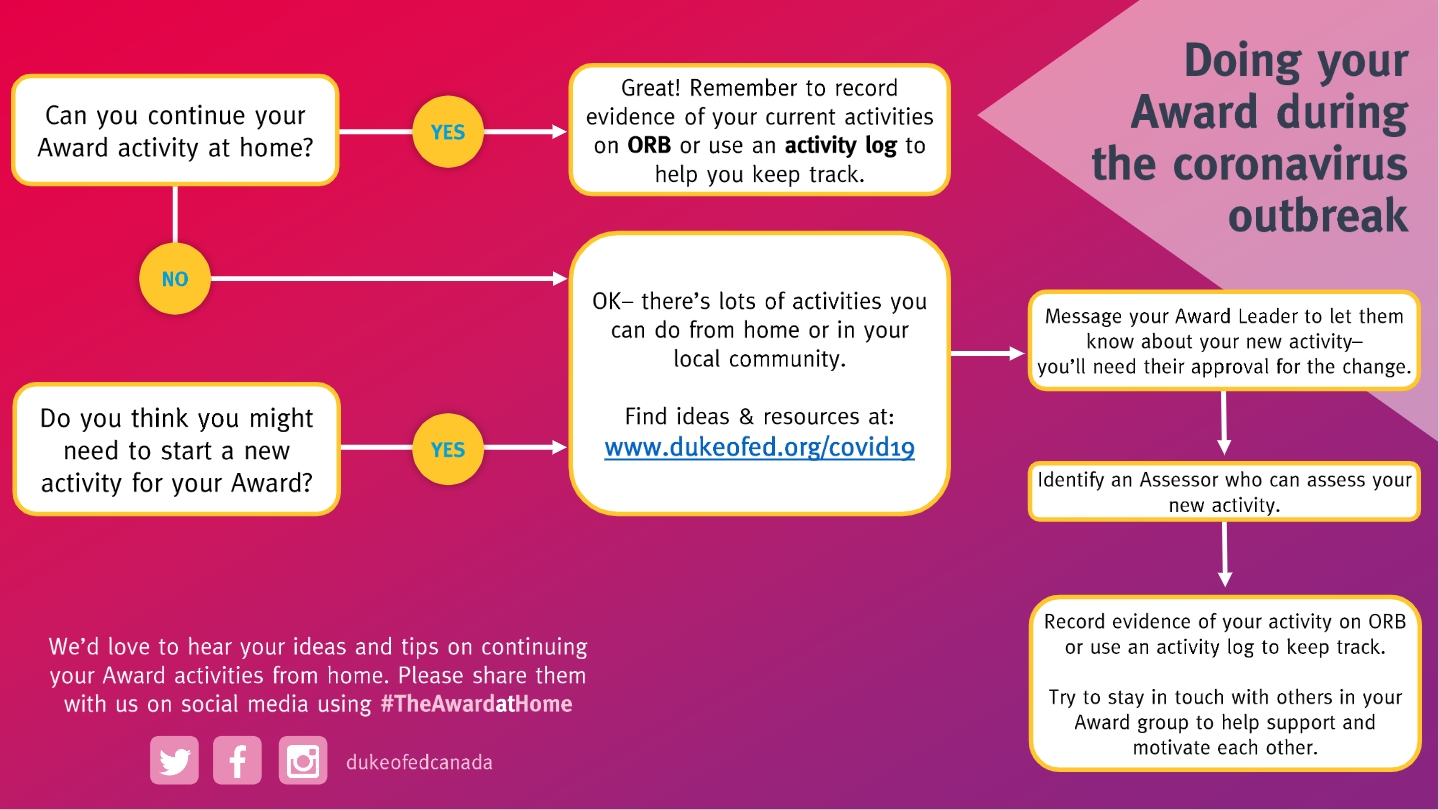
The National office has created a link with resources to help guide you in continuing your Award while abiding by social distancing guidelines and staying safe. Visit www.dukeofed.org/covid19 for more.
This visual flow chart can also help guide you through the new process. Any questions, please contact your award leader, jenniferriggs@nlesd.ca or chesleywest@nlesd.ca.
School Home Internet Access Survey
Here is the link again for the Google Form from the District about access to devices and internet. Some people were having difficulty with this link. We would really appreciate it if you could fill this out as soon as you can.
https://docs.google.com/forms/d/e/1FAIpQLSfR-ocoJhI0O15bcARwHi48oBJ8lIbeetVLtkTusBIar2oINg/viewform
Thank you and take care.
Thank You, Volunteers!

We would like to take this opportunity to say THANK YOU! to our volunteers who help make MDJH a wonderful community school!
MDJH Wears Red for the RCMP in Nova Scotia
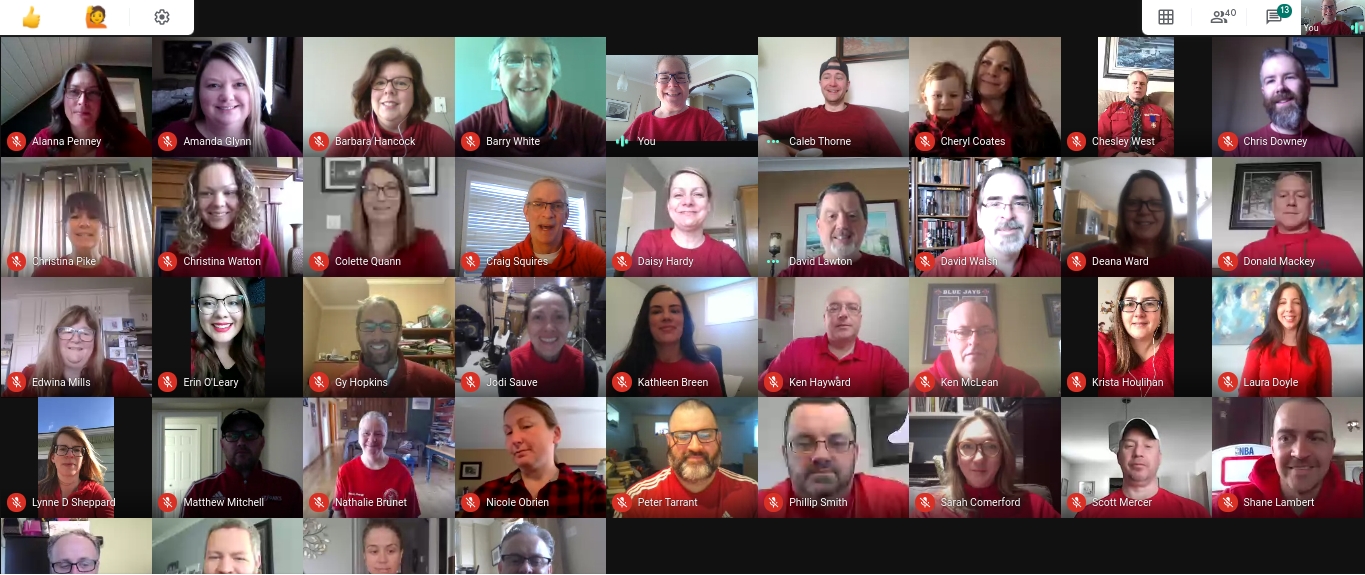 Today we made a special effort to gather (on-line, of course!) to show support for RCMP given the tragic events in Nova Scotia. If you do the same and post your picture, tag us (@mdjh on Twitter) to show the support in our community!
RAMADAN KAREEM – Happy Ramadan

“RAMADAN MUBARAK” “Have a blessed and happy Ramadan” رمضان مبارك
Stay Safe ابق آمنا
At Home Technology Survey
Our school and the school district are working on ways to assist students who are having difficulty connecting with teachers and classmates in an online learning environment. We are assessing the access that students have to electronic devices and internet in their home. To determine the availability in your home, the district has created a survey using Google Forms. The following link will take you to the form. Please complete the survey if possible:
https://forms.gle/HCfaGsQGriKPoZ7FA
The results of this survey will allow us to best determine how to support our students. Thank you for taking the time to complete this. If you have any questions or concerns, please feel free to contact Ms. Pike or Ms. Hardy.
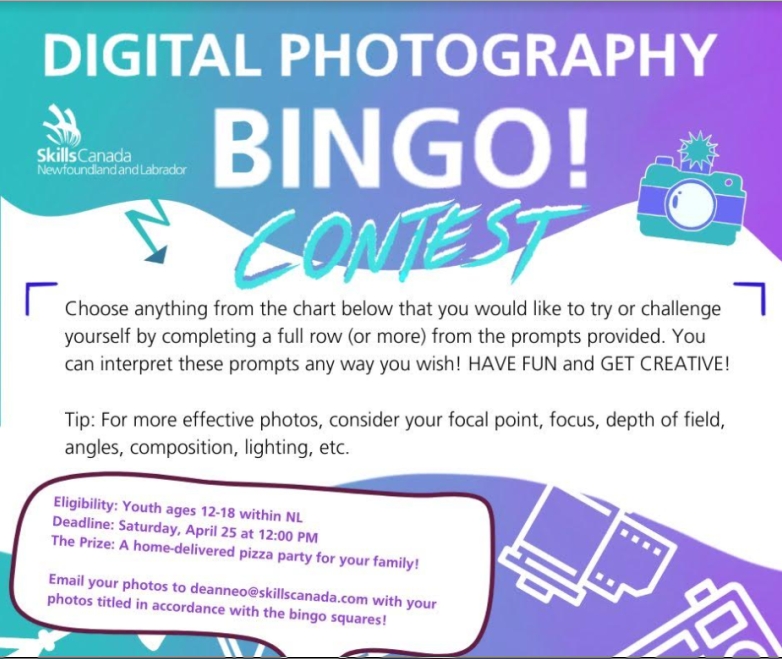
Skills Canada Photography Contest
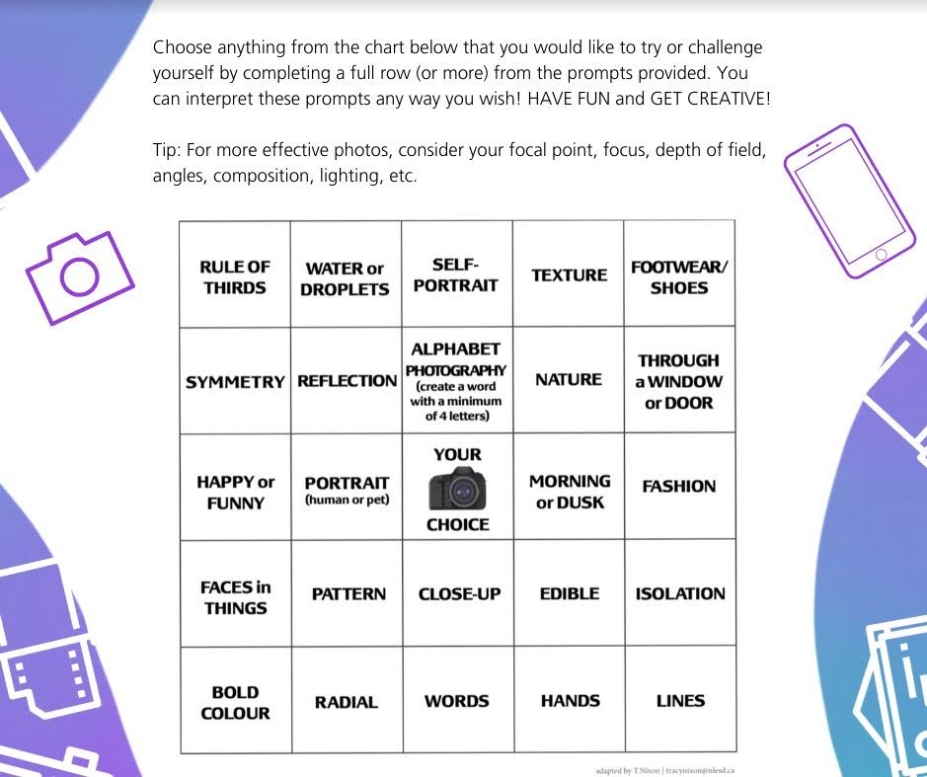
Skills Canada NL is having a a Photography Bingo contest, ALL students between the ages of 12 and 18 can participate. Choose five themes based on the Bingo board attached below, take your photos, and email them to: deanneo@skillscanada.com before 12 noon on Saturday. You could win a home delivered pizza party for your family!
 Macdonald Drive Junior High
You must be logged in to post a comment.